Advice, perspectives and stories from the people protecting businesses and communities across South Wales.

From the first risk assessment to the people on the ground, discover what makes a security plan work.
24 September 2026 · 6 min read

Advice, perspectives and stories from the people protecting businesses and communities across South Wales.
From the first risk assessment to the people on the ground, discover what makes a security plan work.
24 September 2026 · 6 min read
From the first risk assessment to the people on the ground, discover what makes a security plan work.

When we say ‘you,’ we are in fact talking about you, the reader. You may be thinking “who me? No, I couldn’t hack a device, it takes specialist knowledge and skill and hours of doing whatever magic they need to do to gain access,” but you’d be wrong.
Although many of us have this way of thinking when it comes to hacking and cybercrime, it is actually quite alarming to find out that anyone can do it. Even if they don’t have the first clue about how to do it or where to start.
All it takes is a simple Google search
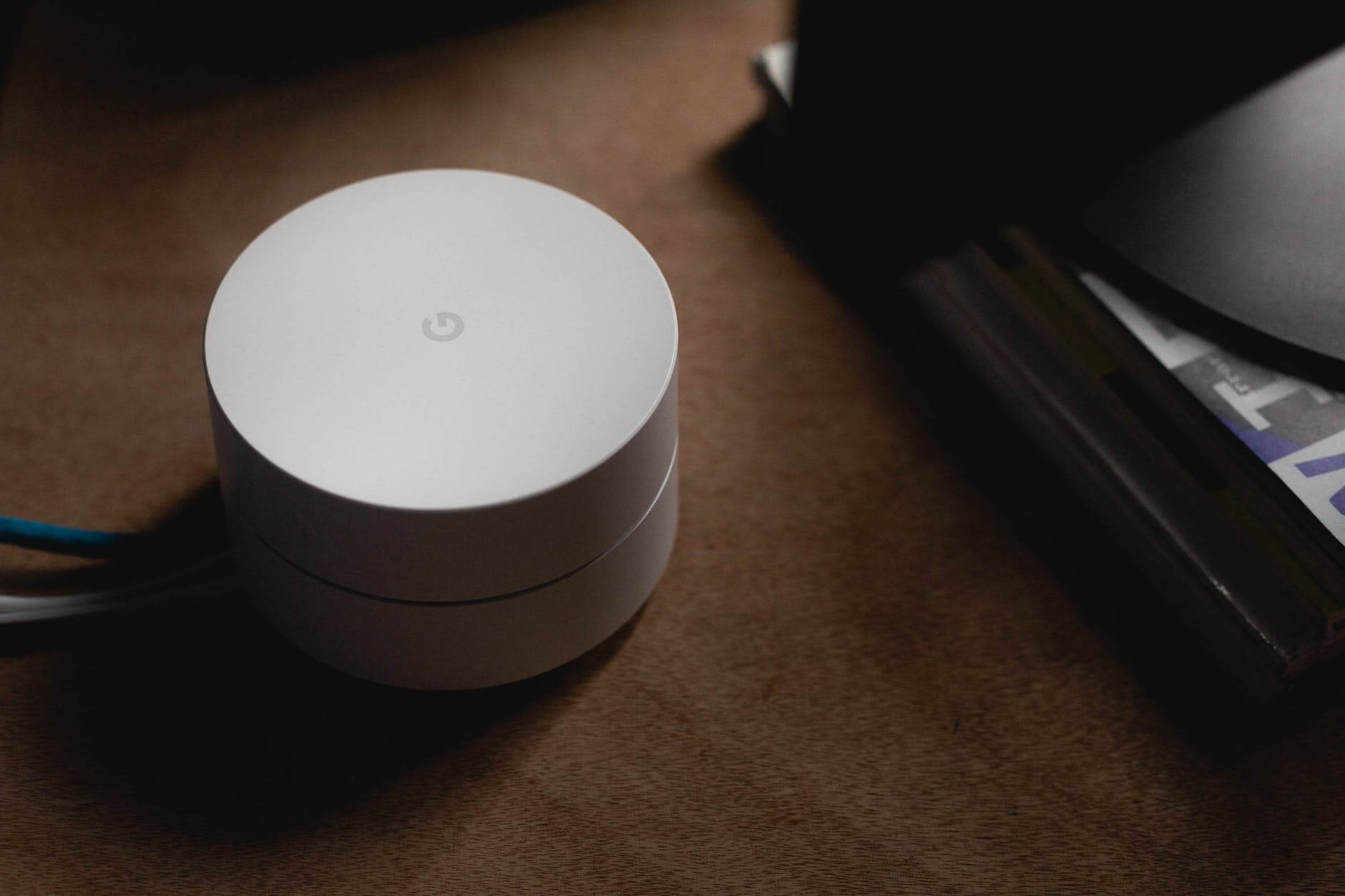
Do you know when you buy a new WI-FI router and the model and password are on the back? This is how anyone can hack your WI-FI box.

Most of us are guilty of setting up the WI-FI and carrying on with our lives as normal. Some of us are lucky enough to never know the consequences that come with a cyber attack, but there are some of us (the unlucky ones) who do know and it is usually all because of that pesky default password that we didn’t change.
All hackers (or you) have to do is open Google, search for the brand and model of whatever device they want to hack and a connected web browser. Within minutes, they will find thousands of search results showing them how to hack that device using the manufacturer’s default administration username and password and voila! They can now turn on this camera or listen on a baby monitor or steal your credit card information or even identity.
Always change the password straight away!
So anyone can hack into any smart device if they have the time and motivation. What might take you a few hours or a research team 30 minutes can take a hacker who knows what they are doing 5 minutes to gain access to your device, so imagine how quick they can gain access to your whole network.

All of this is possible because most people do not change the default username and password, so the easy solution is just to change it straight away, right? Yes, and no. Yes, this will keep any opportunistic people from attempting to gain access to your devices and it will cover you and your things with a good level of security. When it comes to experts, however, it takes more to protect yourself.
All that you can do to completely stave off any cyber attacks would be to:
- Use strong passwords and update them regularly for every device, especially your WI-FI box
- Make sure that all of your devices are only visible to your private and secure WI-FI network
- Make sure all devices are updated to the most recent software as these have bug fixes that can’t be compromised yet
So there we go, you, yes YOU, can hack into any smart device, so imagine what the experts can do. Think about this every time you set up a new device or you connect something to your WI-FI and you will be able to make sure that you are keeping your information as safe and secure as it can be.
What we can do for you:
RGM Security offers a wide range of security services so if you need advice on how to stay as secure as you can be, please don’t hesitate to contact us!
Need more help or advice with your security? Check out our other useful articles:
- 12 Household Items You Didn’t Know Could be Hacked
- Simple Tips to Keep Your House and Family Safe this Halloween
- How to Deter Hackers and Protect Your Data
While more and more material things are becoming ‘smart’ and interconnected to make life more convenient for us, what many people don’t know, is that it is also making it easier for hackers to gain access to our personal information too. This leaves us very vulnerable without us even realising.
We all know that computers and phones can be hacked, we’ve all heard the stories, but what many of us don’t know is how far cyber-attacks can actually go.
To help you protect your family and home from hackers, here are 12 household items that you didn’t know could be hacked.
1. Security Cameras
It may seem quite ironic that the item you buy to make your house more secure can be a vulnerability, but it’s true, and security cameras are actually among one of the most easily hacked items too. Why? Because people do not have strong passwords and they don’t change them regularly enough.
2. Smart TVs
More and more households are buying smart TVs these days and this requires you to connect to the internet to use apps like Netflix. You might not think that hackers can do much with a TV, but you would be very wrong. Smart TVs are just like big iPhones, they have cameras that can be hacked to check if you’re home, many apps that may contain your payment information so that they can order from them, and they even have other connected devices that can become compromised too.

3. Voice-activated Speakers
Do you have an Alexa or Echo? Although extremely convenient and a fun gadget to add to any home, these items can be hacked leaving your home vulnerable. If you use the calendar function or make payments via your speakers or if it is connected to your home security system, hackers can know when you’ll be on holiday, take your credit card or bank account information or turn off your security system. Make sure to limit the information you put into your speakers and always unplug it when you’re away on holiday.
4. Refrigerators
Yes, you heard us right, your fridge can be your worst enemy when it comes to security as well as your diet! If you have connected your smart fridge to the WI-FI, it can be hacked and used to access other devices or to get your Google login details, so keep your password strong and change it regularly!
5. Thermostats and Electric Metres
Cost-effective smart thermostats and electric metres can be set up to automatically adjust according to the time of day and via internet commands but they ask for no passwords when being accessed over the internet. This leaves them vulnerable to being hacked where a potential thief can eavesdrop on your home and know when you are out!

6. Baby Monitors
Baby monitors are often connected to your WI-FI and even your mobile app so they are very vulnerable to being hacked. Many parents don’t change the default password or implement the recommended security features and then they make the device visible to their WI-FI network which allows a hacker to access the speaker and camera and watch you any time of day.
Find out how to keep your baby monitor safe!
7. Electronic Picture Frames
They may be a great gift but hackers like them too! If compromised, electronic picture frames can be used to tell a thief the comings and goings in your household via the frame’s ambient light sensors.
8. Portable Game Consoles
All modern game consoles are protected these days, so if you connect to your WI-FI and change the password regularly, these won’t be an issue. It is the older models, such as the original Nintendo DS, that pose problems. Although nostalgic items, these devices don’t always connect to your WI-FI securely so you’ll need a very strong password that is regularly changed for them to be secure to play.

9. Bathroom Scales
You already hate this item anyway and now you’ve learnt that it can be hacked?! It’s true, your smart scales, if connected to your WI-FI, can be compromised. Although this item only sends data to the manufacturer’s website, it’s still your data and it should be kept private.
10. Printers
Even if you don’t have one of those smart printers that can order themselves new ink when they run out, other printers can be hacked and used to cause you problems. Whether it’s stealing your card information, installing a malicious code that transfers to your laptop, or gaining access to information that you’ve previously scanned, your printer can be a gateway into your personal life without you even realising.
11. Home WI-FI Routers
One of the most vulnerable items you will have in your household is your home WI-FI router, the hub in which every single electronic device you own in your house is connected. If you have a weak password or didn’t even change the default one that you were given, your box can be hacked and used to control your whole network. A hacker can steal your credit information, empty your bank account, steal your identity, watch you to see when you leave your home, and even send all your devices malicious viruses that can infect them and render them useless.
12. Garage Door Openers
If you have a smart garage door, a hacker could gain access to your information where they can find out your daily habits (what time you leave and return from work) and they can even gain access to your house.
We didn’t write this article to scare you, we just wanted to make you aware of how may everyday items that are connected to the internet can be hacked and how serious the consequences can be.
A lot of these items can be used as a gateway to access your whole network, so keep your home, your family, and your personal information as safe as it can be by using strong passwords and changing them regularly (every 3-6 months).
That’s all it takes so surely the effort is worth it!
What we can do for you:
RGM Security offers a wide range of security services so if you need advice on how to stay as secure as you can be, please don’t hesitate to contact us!
Need more help or advice with your security? Check out our other useful articles:

Whether for manned or unmanned remote sites, perimeter security is about creating an effective physical barrier which can detect, deter, delay and deny unauthorized access to the perimeter and ultimately defend the asset.
Outdoor perimeter security is often overlooked, taking a back seat to interior measures which are often much more costly. Why is this?
When a small investment in outdoor security (e.g. static manned guarding provisions) can provide significant protection to your building’s assets as they add distance, time, and scale to your security plan, why are we spending most of our budget on our interior security? Doesn’t this sound like we’re counting on potential criminals gaining access to our premises? Shouldn’t we be investing in measures to prevent access as much as possible first before implementing these interior measures as our ‘just in case’ security?
5 D’s of Perimeter Security (‘The Onion Principle’)
In a solid security plan, security is thought of in layers. This is where the onion comes in.
Thinking about the layers of a business and working from the outside into the centre, a security plan should have many layers (or barriers) which the potential criminal has to overcome, each one getting stronger the closer you get to the centre to provide greater protection to the target (your interior assets).
From this idea, you can see that outdoor preventative measures are a pivotal element in making sure that a security strategy is as impenetrable as it possibly can be. What’s more is that, if designed correctly, your outdoor measures can actually reduce the cost of your building security!
To implement a foolproof security strategy in your business, you need to design it around the layers of your business using the 5 D’s of perimeter security.
1. Deter
The first layer (or barrier) of your business is the farthest one from the location of your assets so the strength of these measures aren’t as much of a concern; the aim of these measures are just to deter the criminal from attempting a crime in the first place. From CCTV signs to fences and security lighting, these deterrents can cause a psychological battle within the potential criminal so that criminal activity never starts.
2. Detect
If the first layer fails to deter criminal activity, your next layer (detection) should alert you to any possible unauthorised breaches; the aim of these measures is to allow you to respond as efficiently and effectively as possible. Surveillance camera technology, motion sensors, and alarms are very effective detection tools with megapixel cameras being among the most accurate.

3. Deny
Although the criminal may have made it through your first layer of defence, your second layer has alerted you so that you can keep the unauthorized persons out with your third layer; the aim at this stage is to deny unauthorised access while allowing authorised persons to enter the premises. Whether you have a manned security gate or access control technology at the point of entry of your business, you can use both to deny this specific entry.
4. Delay
You have probably alerted the police by this point, so the objective in your fourth layer is to delay or slow down the intrusion long enough that the security team can respond or that the intruder gives up. Delay security measures include more fences, gates, and locked windows and doors, however, surveillance cameras should also be used here to provide situational awareness and measure the effectiveness of the measures.

5. Defend
If the intruder isn’t giving up and looks like they might make it through your fourth layer, your final layer is to defend your perimeter; the aim here is for your security to apprehend the intruder and to escort them off your premises. Again, surveillance should be used to record the situation and determine the effectiveness of the response. This final perimeter often includes the involvement of law enforcement but this often overlaps with other layers depending on your security strategy.
Your outdoor perimeter security is absolutely essential to creating a strong and effective security strategy. Not only does it contribute greatly to a foolproof design, but it can also reduce the overall cost of your security system. Sounds like a win-win to us!
What we can do for you:
RGM Security offers a wide range of security services as well as penetration testing to check your defences and threat awareness training for your staff. If you need training or just advice, please don’t hesitate to contact us!
Need more help or advice with your security? Check out our other useful articles:
- Security 101: 5 Security Measures Every Business Needs
- Penetration Testing: What is it and will my business benefit?
- The Fundamentals of Security: Deter, Detect, Delay
While technology and the cloud have made our lives so much more convenient, especially when it comes to storing our information online, it has led to a different kind of crime that is becoming more and more of a problem the more reliant we become on our devices. We have all heard of cybercrime, even without realising as it has been in the news so often this past year, so it has never been a more important time to try and quench it.
The consequences of having your systems hacked are so much more than losing data and the monetary loss, it also means loss of the trust of your clients. So what can you do to protect yourself, your business and your clients?
5 Hacker Deterrents
1. Don’t share personal data on public WI-FI
We’ve all accessed public WI-FI when sitting in a coffee shop or waiting at the airport, and while this allows us to work or to Google things on the go, these kinds of connections offer minimal security.

Always ask employees what the WI-FI is to check that you are connecting to the right one, take caution with what you’re accessing, and if you need to access sensitive work documents or share personal data, use a VPN.
Virtual Private Networks (VPNs) act as an intermediary between your device and the internet server, encrypting all of your activity and deterring potential hackers as they can’t see what you are doing.
2. Use advanced passwords and protect them
It’s good practice to use different passwords for everything, to make them difficult passwords containing numbers and special characters, and to regularly update them, but many of us know that this rarely takes place.
Important note: hackers know this too!
To make (and remember!) strong and difficult passwords that deter hackers, used a password manager such as LastPass that does it all for you! It generates difficult passwords for you, updates them, remembers them, and stores them all for you – problem solved!
Read: Password Security: 10 Tips to Keep Your Passwords Safe

3. Always use two-factor authentication
After hackers have stolen data and passwords from big companies, the usual next port of call is to try their luck with the personal accounts of the employees. After all, it’s worth checking if they use the same passwords for those, isn’t it?
To deter this cybersecurity breach, always use two-factor authentication. By adding an extra step after the password entry, such as a code sent to your phone or email, hackers know that it would be near to impossible to gain access to these preventing them from trying in the first place.
4. Be wary of the cloud
I realise that this sounds like a mother’s warning falling on deaf ears, but it’s an important warning nonetheless. Put simply, if you don’t want people to access your information, don’t share it.

While cloud storage is an invaluable tool when it comes to storage, if you don’t know how to use it, it can lead to many confidential files being shared online.
By all means, use it. Just be careful of what files you are storing, check where they are going, i.e will they be in a private or public folder, and always delete the backups of files that you want to be removed.
5. Be suspicious of unknown emails
Again, another warning that makes us sound like pessimists, but they are warnings for a reason.
Emails are the biggest gateway into hackers getting access to your data, so never ever open attachments that you are not 100% sure of where they came from and don’t click on links that you are not sure where they will lead to.
When one unsuspecting employee downloads a malicious virus-laden file, this can be enough to infiltrate the entire network, so always make sure your employees are educated on cybersecurity. Always make sure that they check the sender’s email address to see if it matches the accompanying website, look at the IP address and google it, and copy and paste a suspicious link into a separate browser so you can view the URL.

One of the most effective security methods in any business are deterrents as these can often prevent potential crimes from happening in the first place, so don’t dangle the keys to your business in front of a hacker with weak passwords and sharing files online. Keep everything as safe and secure as it can be with these 5 essential tips!
What we can do for you:
RGM Security offers a wide range of security services as well as penetration testing to check your defences and threat awareness training for your staff. If you need training or just advice, please don’t hesitate to contact us!
Need more help or advice with your security? Check out our other useful articles:
- Security 101: 5 Security Measures Every Business Needs
- Penetration Testing: What is it and will my business benefit?
- The Fundamentals of Security: Deter, Detect, Delay

Many people don’t know too much about security but that doesn’t make it any less important. Plus, that’s why you have us! The experts!
To keep it brief and to give you everything you need to secure your business, we are outlining the essentials. Here are our top 5 security measures that every business needs to implement!
1. Surveillance
Physical security and surveillance are the foundation of your security, no solid security strategy would be complete without them.
From CCTV and motion detectors to deter potential thieves to fences, locks and gates with swipe access to delay them, they cover the whole of your premises as well as your interior to keep them secure. Not only are they effective deterrents but they are also invariable in the event of a crime for identification purposes and threat assessments.

Read: From Threatened to Threat Management: How to Deal with Workplace Threats
2. Digital Security
We have all heard about the rising number of cyber attacks, so digital security measures have never been so important! Regardless of the size of your business, you need to make sure that you implement strong digital security procedures that will keep your data safe and instil confidence in your customers.
From using password managers and ensuring that all your employees use strong and regularly updated passwords to encrypting your data and keeping all of your software updated, you can protect your assets and your clients with cost-effective and essential solutions.
Read: 4 Ways to Prevent a Cyber Attack on Your Business
3. Off-site Data Storage
The most sensitive data should always be stored outside of your business where hackers cannot get access and it has zero chance of getting published online. While it’s all well and good having this measure in place, you have to make sure to check that you have a dedicated and secure line for sending your information there.
Only ensure a handful of trustworthy employees have access to certain data and use SSL or another encryption layer to keep your data secure as it is transferred to your off-site.
4. Printer Protection
Yes, you heard us right, there is such a thing as printer protection and every business needs it. Printers are among some of the most common business devices today and most of them can be connected purely through WI-FI and are advanced enough that they can even order their own ink! Naturally with developing technology comes new ways for hackers to gain access to information.
Information from scanned and printed documents may be saved in the limited onboard memory of your printers, so make sure to disable printer sharing, opt for printers that automatically purge their memory and always choose wired connections to your network rather than wireless connectivity.
5. Secure Server Rooms
Servers house data, and wherever there is data, there should be sufficient security measures protecting it.
Always make sure to lock your server room securely, log who enters and exits the room, and install surveillance inside and outside of the room. If you want additional measures, you could always use mounted server racks to deter quick thefts.
So there we go. 5 quick yet crucial security measures that every business must have!
While these are our top measures to implement, they should by no means be the minimum. An effective security strategy is one that has all of these features and more depending on the needs of your business.
What we can do for you:
RGM Security offers a wide range of security services as well as penetration testing to check your defences and threat awareness training for your staff. If you need training or just advice, please don’t hesitate to contact us!
Need more help or advice with your security? Check out our other useful articles:
Following our previous blog post “Intrusion Testing: What is it and will my business benefit?” we received a lot of questions from our customers and partners about how often they should be carrying this test out. In this article, we aim to address just that.
Intrusion Testing: Why?
As mentioned above, our previous blog explains exactly what Intrusion Testing is and the benefits that it will provide you. Here’s a quick recap of why you need to be performing intrusion tests in your business:
- Identify your security flaws
- Improve on your vulnerable areas
- Gain an insight into the level of real-world risk and how a real attack would impact your business
- Better manage your defences
- Run your business cost-effectively and without disruption
- Meet regulatory requirements and avoid fines
- Maintain trust with your employees and clients
For more information on why you should be doing it, read our full blog here.

Intrusion Testing: When?
So by now, you know how important intrusion tests are and why you should be doing them, now the real question that you’re looking to get answers to is how often should you be doing it.
Unfortunately, there’s no magic “one-size-fits-all” solution I’m afraid. The answer all depends on your business.
In general, don’t carry out an intrusion test on a system that is being deployed! In this stage of development, systems and networks are going through a state of constant change so carrying out a test would be worthless as it won’t point out potential future vulnerabilities. Instead, wait until right before a system is put into production to carry out a test.
To determine how often you should be carrying out intrusion tests in your business, you need to take into account these factors:
- Company size – bigger companies typically have more vulnerabilities, e.g more employees with access to sensitive information, more potentially weak passwords, more emails, and a greater online presence etc. This may mean that you need to carry out intrusion tests more regularly than smaller companies, such as once or twice a year as opposed to once every 2 years.
- Budget – intrusion tests can be expensive so obviously, your cash flow will play a role in how often you are able to conduct them. Organisations with a smaller budget may be restricted to once every 2 years, while bigger companies may be able to afford more frequent and thorough testing if they want it.
- Regulations, laws, and compliance – depending on your industry, some companies are required by certain laws and regulations to perform a certain amount of security tasks, such as intrusion testing, on a regular basis.
- Infrastructure – if your company runs in a 100% cloud-based environment, sometimes you may not be allowed to test the cloud provider’s infrastructure. The provider may already conduct its own internal intrusion tests, so you can decide whether you need to test your other measures.
- New security measures, systems or networks – whenever you are implementing anything new to your business that may have an effect on your security, always carry out an intrusion test soon after to prevent it from becoming a vulnerability.
Take away message
Although there is no single solution for every business, it’s important that companies realise the importance of carrying out intrusion tests and the role that they play in our overall security strategy.

As businesses are dynamic, always growing and developing, it’s essential that intrusion tests are conducted regularly along the way to make sure that any vulnerabilities aren’t exploited and to prevent any costly consequences that you may be unable to resolve. How often you carry them out is completely up to you.
Need to test your business’s defences?
RGM Security offers a wide range of security services as well as intrusion testing to check your defences and threat awareness training for your staff. If you need training or just advice, please don’t hesitate to contact us!
Need more help or advice with your security? Check out our other useful articles:

Whether you need a single static guard, a full mobile patrol schedule, or a bespoke security package across multiple sites, we're ready to talk it through. Get in touch today to discuss your security requirements.